MEPCO Bill Check by Mobile Number: SMS Method Without Internet
MEPCO bill check by mobile number is the easiest way to see your bill when you have no internet. You send one SMS. You get your bill amount and due date back on your phone. It works on any mobile, even an old keypad phone.
Table of Contents
- Quick Answer: The SMS in One Line
- The SMS Method, Step by Step
- What the Reply Shows (and What It Does Not)
- When SMS Beats the Website
- No Reply? Here Is What to Check
- Get Monthly Bill Alerts by SMS
- Can You Check Your MEPCO Bill by CNIC?
- What SMS Cannot Do
- New Connection? Your First Bill Works Differently
- FAQs
Quick Answer: The SMS in One Line
Type PITC, a space, and your 14-digit reference number. Send it to 8334. You get a reply SMS with your bill amount and due date. It works without internet. It works on a basic phone too. The reply shows the amount and the due date only. It does not show the full bill.
The SMS Method, Step by Step
Start with your 14-digit reference number. It sits at the top of any old MEPCO bill. Copy it with care. One wrong digit gives you an error or someone else’s bill.
- Open the messages app on your phone.
- Type PITC in capital letters.
- Press the space bar once.
- Type your 14-digit reference number. Use digits only. No dashes. No spaces.
- Send the SMS to 8334.
- Wait for the reply. It usually comes within a few minutes.
Your SMS should look like this. PITC 12345678901234. That number is only an example. Never send your real number to a stranger.
The SMS costs what your network charges for one text. Keep your reference number private. Anyone with the number can see your bill.
What the Reply Shows (and What It Does Not)
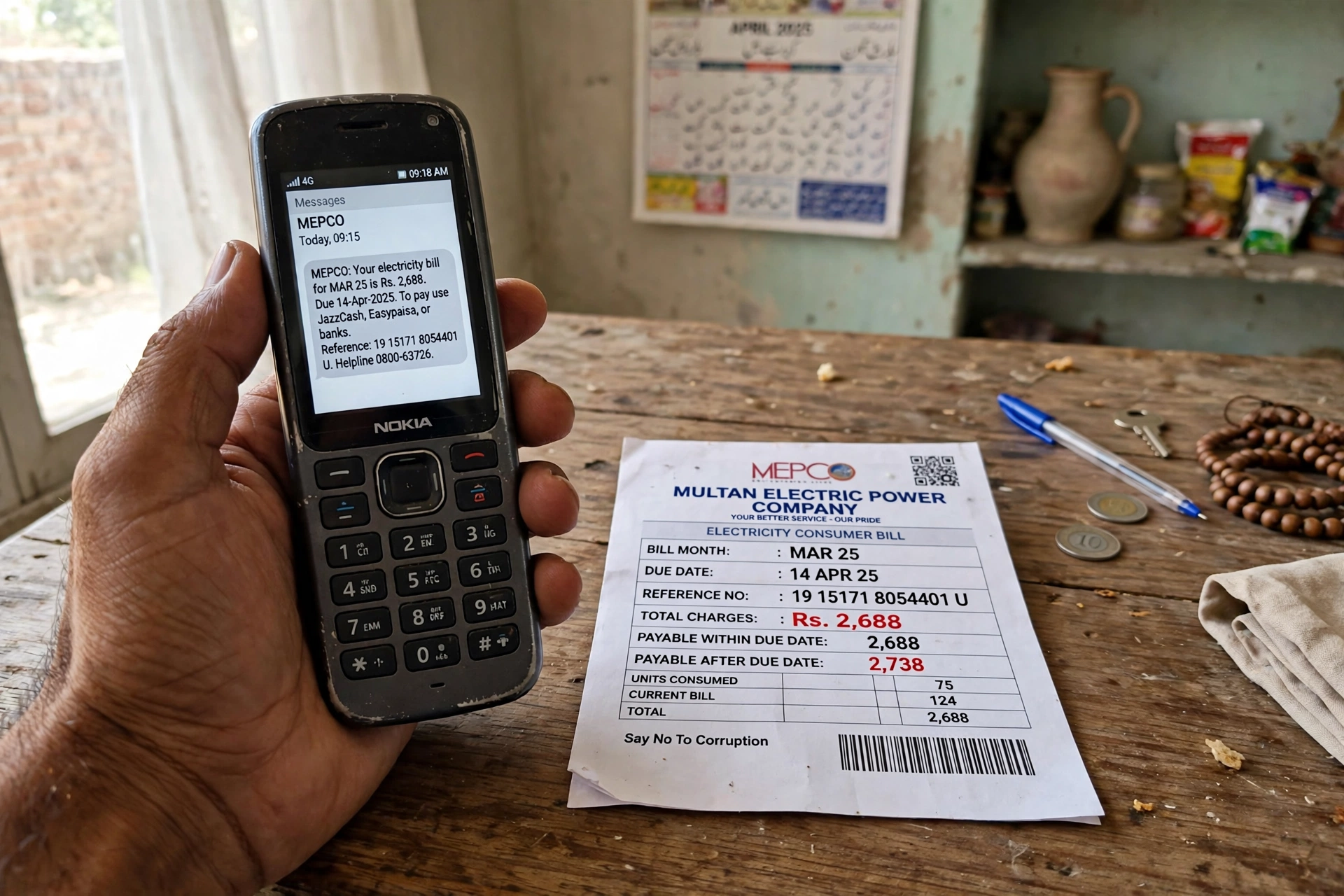
The reply SMS is short. It carries your bill amount and your due date. It may also show the billing month and the units used. That is enough to pay on time.
It does not show the full bill. You cannot download a copy from an SMS. You cannot see the unit breakup or the tax lines. For the full bill, use the online checker. Our reference-number guide walks you through it.
When SMS Beats the Website
The portal is faster when you have data. But SMS wins in four common cases.
- No internet. Your mobile data is off or the signal is weak. SMS still goes through.
- Basic phone. Your old keypad phone has no browser. The SMS method works on it.
- Load shedding. The power is out and the Wi-Fi router is dead. Your phone still has signal.
- Older family members. Your parents manage their own connection. They can send one SMS without help.
Think of SMS as the quick check. The portal is the full check. Use each one where it fits.
No Reply? Here Is What to Check
Most replies land within a few minutes. If nothing comes back, work through this list. Do not send the same SMS ten times.
- Check the format. The SMS must read PITC, one space, then 14 digits. A missing space breaks it.
- Count the digits. The reference number has 14 digits. Count again if the count is off.
- Check the number. Did you send it to 8334? A wrong short code goes nowhere.
- Wait a little longer. The reply can be slow at peak hours. Give it a few hours before you retry.
- Check if the bill is out yet. Bills appear online 2 to 3 days after the meter reading. An early SMS has nothing to fetch.
Still no reply? Check online instead. Open the bill checker on this site with the same reference number. The same number also works on the official PITC portal. If your paper bill never arrived at all, read our bill-not-received guide.
Still stuck? Call helpline 118 with your reference number ready.
Get Monthly Bill Alerts by SMS
MEPCO can also send your bill to your phone each month. But only if your number is registered with your connection. An unregistered number gets no alerts.
To register, visit your nearest MEPCO service center with your CNIC. Ask them to link your mobile number to your connection. The staff will confirm it on the spot. After that, the monthly alert should reach you on its own.
One caution. A registered number gets bill alerts. It does not let you check a bill by CNIC. The system has no CNIC lookup at all.
Can You Check Your MEPCO Bill by CNIC?
No. Many people ask this. The system does not allow bill lookup by CNIC. No portal offers it. Your reference number or consumer ID is the only key.
Anyone who promises a CNIC check is guessing. Do not share your CNIC with random bill-check sites. Your reference number is all a real checker needs.
What SMS Cannot Do
SMS is a quick check, not a full service. It cannot download your duplicate bill. It cannot pay your bill. It cannot show the full breakup of charges.
For a duplicate copy, use the online portal. For payment, JazzCash and Easypaisa both accept the reference number. Our pay-online guide shows each step.
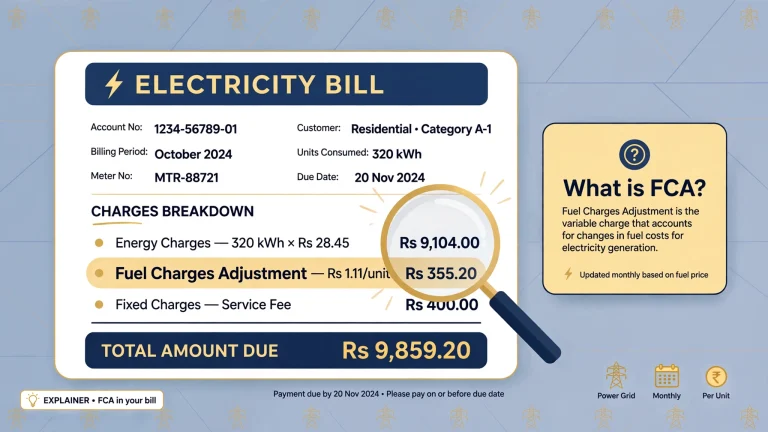
If the amount in the reply looks high, the fuel adjustment may explain part of it. Our October FCA guide has this month’s figure.
New Connection? Your First Bill Works Differently
Just applied for a new connection? Your first bill follows its own timeline. The SMS method works once the first bill is issued. Until then, there is nothing to fetch. Our new-connection guide explains the wait.
FAQs
How can I check my MEPCO bill by mobile number?
Type PITC, a space, and your 14-digit reference number. Send it to 8334. The reply SMS shows your bill amount and due date.
Is the 8334 SMS service free?
The service itself has no fee. You pay only what your network charges for one SMS. That is usually the normal SMS rate.
What if 8334 does not reply?
Check the format and count the digits first. Then wait a few hours. If it still does not reply, check your bill online with the same reference number.
Can I check my MEPCO bill by CNIC on mobile?
No. The system has no CNIC lookup. You need the 14-digit reference number or the 10-digit consumer ID.
How do I get monthly bill alerts on my phone?
Register your mobile number at a MEPCO service center. Take your CNIC with you. Only registered numbers get the monthly alert SMS.
Does the SMS reply show the full bill?
No. It shows the amount and the due date only. Use the online portal for the full bill and a duplicate copy.
Your phone can do more than calls. One SMS can save a trip to the office and a late fee. Save your reference number in your phone today. This site is an independent helper. It is not MEPCO. For official services, visit mepco.com.pk.