
MEPCO Bill Check by Reference Number: Step by Step Guide
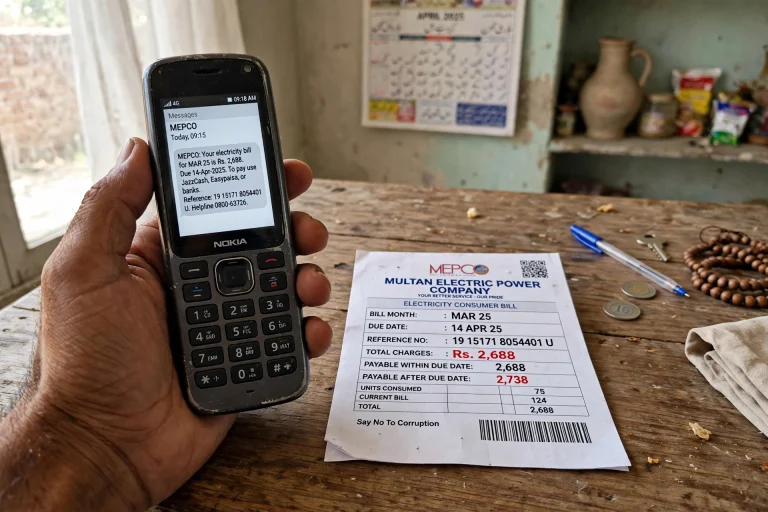
mepco bill check by reference number is how you see your MEPCO bill online. Every bill has a 14-digit reference number printed on it. Paper bill late again? Type that number in the checker on this page. Your latest bill will open on the official PITC portal in a new tab.
Table of Contents
Where is the reference number on my bill?
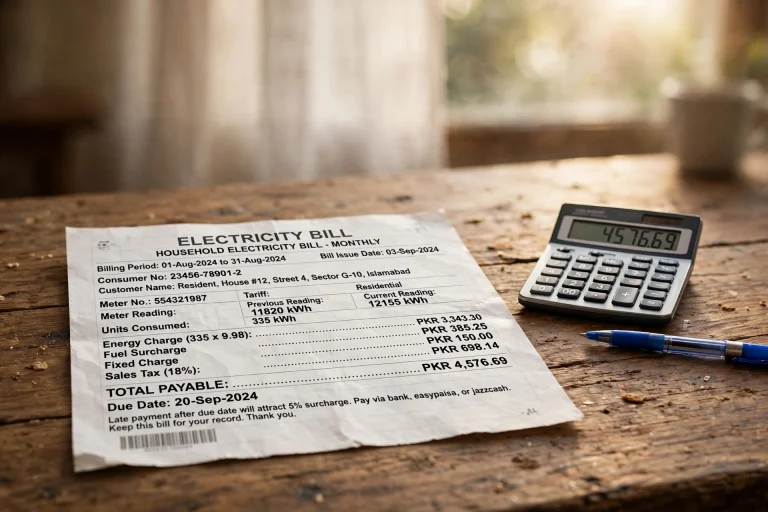
Take any old MEPCO bill and look at the top. The reference number sits just below the consumer ID. It has 14 digits, and it never changes. Most homes keep one in a drawer anyway.
Type the digits only. Skip the U or R letter printed next to it.
Check your bill in 4 steps
- Open the bill checker on this website.
- Type your 14-digit reference number in the box.
- Press the Check Bill button.
- Your bill opens on bill.pitc.com.pk in a new tab. Check the amount and due date. Download it or print it if you need a copy.
Common problems and fixes
Error on the portal
One wrong digit is the usual cause. A digit typed wrong, or two digits swapped. Check it against your bill, digit by digit.
Portal loads slowly
In the first week, everyone checks at once. So the portal gets slow. Wait a little and try again.
Showing last month's bill
Your new bill comes after the meter reading, mostly in the first week. This is normal. Till then, last month’s bill keeps showing.
There is no bill check by CNIC
Let me say this clearly. No website can show your bill from your CNIC. A mobile number does not work either. Anyone who claims this is not telling the truth.
You have only two ways. Use the 14-digit reference number. Or use the customer ID printed on your bill. New here? Start with the mepco bill check tool on our homepage. Got your bill? Then read how to pay your MEPCO bill online.